


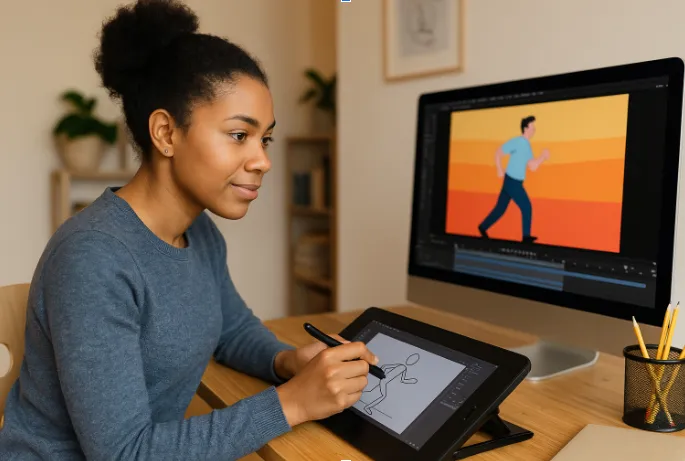
Whether you create content for marketing, education, or personal projects, finding the right AI animation generator can streamline your workflow and add polish to your visuals. Below are five AI animation tools designed to enhance creativity, particularly for social media content, website engagement, and video-based storytelling.
1. Invideo
Invideo is a browser-based AI animation generator designed for users who want efficient, flexible animation creation without the need for complex software. It simplifies the process of transforming text, scripts, or static images into engaging animated videos.
Invideo stands out due to its AI animation video generator and intuitive Magic box that lets you prompt your video idea, and it does the rest in minutes in terms of script generation, visuals, voiceover, subtitles, and much more. It offers automatic scene generation from text prompts and an extensive stock and generative media asset library. Users can create animated explainer videos, social media posts, marketing animated videos, content creation, business animations, and promotional clips within minutes.
Key Features:
- AI-powered script-to-video generation
- Text to AI Animations
- 16 million plus stock photos and videos
- Human-sounding voiceovers
- Real-time collaboration with multiplayer editing
- A magic box to edit the animated videos generated by AI with simple instructions
Use Case: Ideal for businesses seeking consistent brand engagement across social media and websites. It allows marketing teams and creators to produce animated content that maintains viewer interest and boosts click-through rates.
2. Animaker
Animaker offers a simplified animation platform suited for beginners and intermediate users. Its AI-assisted tools help create animations for presentations, marketing videos, and social content.
Animaker focuses on pre-designed characters, backgrounds, and drag-and-drop customization. Its text-to-animation feature enables quick generation of animated scenes without manual timeline adjustments.
Key Features:
- Character-building toolkit
- Automated lip-sync for voiceovers
- Wide selection of pre-built templates
- Simple drag-and-drop editor
Use Case: Suitable for small businesses and solo creators looking to publish animated content on platforms like Instagram, LinkedIn, or YouTube without requiring extensive design skills.
3. Steve.AI
Steve.AI positions itself as a text-to-animation platform using artificial intelligence. The platform allows users to input a script or content outline, from which it automatically generates animated videos.
While it’s less feature-heavy than larger platforms, Steve.AI is effective for short-form videos like social media ads, explainer videos, or website engagement clips.
Key Features:
- Text-to-animation conversion
- Auto-generated scenes and transitions
- AI voiceover and lip-sync capabilities
- Simplified video export options
Use Case: Ideal for marketing teams or startups that need quick video content to boost product visibility on websites or social media feeds.
4. Simplified
Simplified is an all-in-one AI content creation platform that includes animation video generation as part of its feature set. It combines video editing, graphic design, and social media content tools within one dashboard.
Its animation toolset is geared towards quick, lightweight video creation with ready-to-use templates and AI-based editing suggestions.
Key Features:
- AI video animation templates
- Multi-format social media video creation
- Team collaboration options
- Integrated design and copywriting tools
Use Case: Best suited for content marketing teams managing multiple social media accounts or website campaigns, looking for an all-in-one creative solution that includes animation alongside graphics and text content.
5. DeepBrain AI Studios
DeepBrain AI Studios focuses on AI video generation using human-like avatars and AI animation technology. It’s slightly more specialized, offering AI-generated presenters and voiceovers in animated formats.
The platform is helpful for creating product explainers, corporate training materials, or branded website content where a more realistic animation style is preferred.
Key Features:
- AI avatar generation
- AI-driven animation and lip-syncing
- Multi-language voice synthesis
- Custom avatar creation service
Use Case: Appropriate for businesses or educators wanting AI-driven animated videos that look professional but do not require full character animation skills. Useful for landing pages, onboarding materials, or interactive website features.
Final Thoughts
When selecting an AI animation generator, focus on matching the platform’s strengths with your content goals. For instance:
- Invideo offers the most balanced mix of ease, functionality, and content volume for both social media and websites.
- Tools like Animaker and Steve.AI shine when you need straightforward, templated solutions.
- Platforms like Simplified and DeepBrain AI Studios can support more complex brand or educational content needs.
Frequently Asked Questions
Q: Which AI animation generator is best for social media content?
A: Invideo stands out for social media content due to its large library of stock and generative media and AI scene generation, specifically optimized for various platform formats.
Q: Can these tools be used without animation skills?
A: Yes, all five tools on this list are designed for non-experts, offering a user-friendly interface, automated features, and AI assistance.
Q: Do these platforms offer free versions?
A: Most of them, including Invideo, Animaker, and Simplified, offer limited free versions/trials or freemiums with basic features and watermarked exports.
Q: Are these AI animation tools suitable for business websites?
A: Yes, creating animated explainer videos or product demos enhances website engagement and helps in retaining visitor attention.