


If you are a Product Manager (PM), your life likely revolves around two very different types of documents.
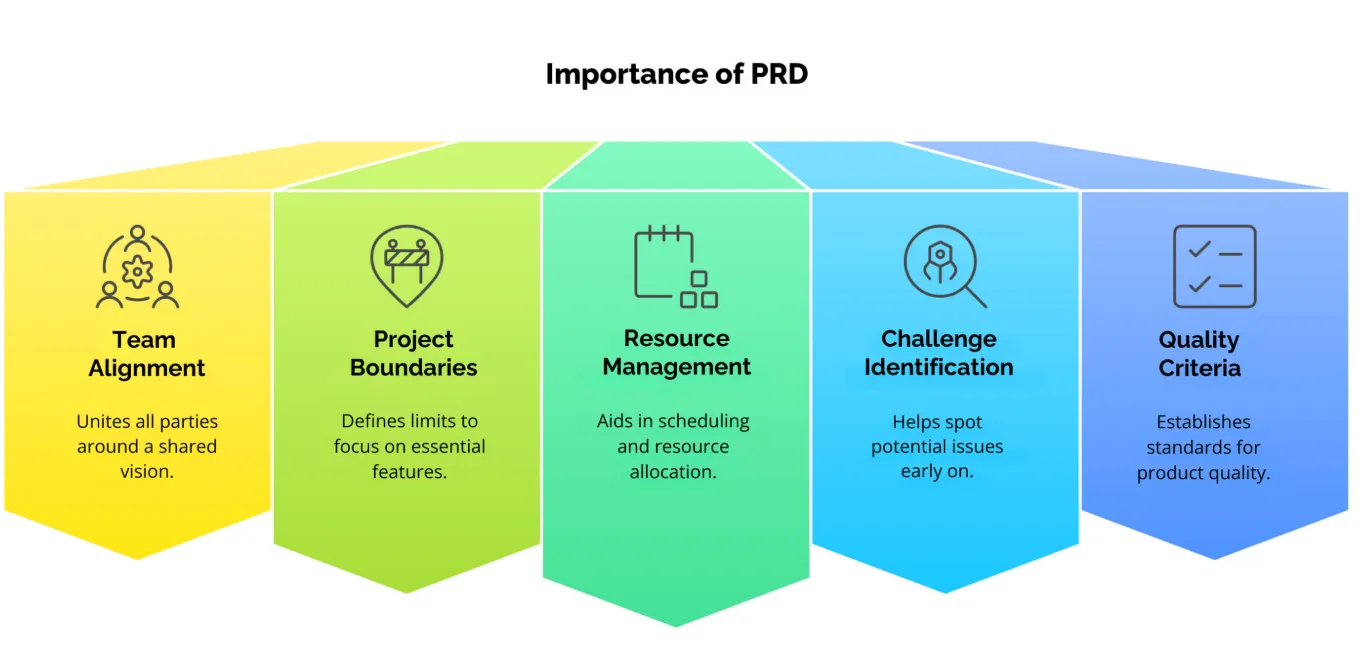
On one side, you have the Product Requirements Document (PRD). This is your bible. It is dense, detailed, and technical. It is filled with user stories, edge cases, database schema references, and acceptance criteria. It is designed for engineers and designers who need to know exactly how to build the feature.
On the other side, you have the Product Roadmap Deck. This is your sales pitch. It is visual, high-level, and strategic. It is designed for executives, stakeholders, and sales teams who need to know when and why the feature is coming.
The friction in a PM’s life often comes from the translation gap between these two worlds. You spend weeks writing a comprehensive 20-page PRD. Then, you have to spend another day “dumbing it down” (or rather, summarizing it up) into a 10-slide PowerPoint for the Tuesday stakeholder meeting.
This process is tedious. It involves manually copy-pasting timelines, redrawing Gantt charts, and condensing complex logic into bullet points. It is low-leverage work that eats up high-leverage time.
However, the emergence of AI-driven presentation tools is changing this dynamic. We are moving from a manual creation process to an automated extraction process. By treating your PRD as a data source, you can generate your presentation layer instantly.
The Problem with “The Wall of Text”
Why is this translation so difficult? It comes down to audience needs.
When you hand a PRD to a VP of Marketing, their eyes glaze over. They don’t care about the API latency requirements; they care about the launch date and the value proposition. If you simply copy-paste sections of your PRD onto slides, you end up with “The Wall of Text”—slides so dense that the audience stops listening and starts reading (or worse, checking their phones).
The goal of the roadmap slide is abstraction. You need to abstract the complexity away to show the trajectory. Historically, this required a human to manually read, synthesize, and visualize. But Large Language Models (LLMs) are exceptionally good at exactly these three tasks.
Bridging the Gap with AI Agents
This is where the new generation of AI tools steps in. Instead of starting from a blank white slide, you start with your existing documentation.
Imagine you have your PRD saved as a PDF or a Word doc. By uploading this file to Skywork PPT Creator, you can bypass the manual formatting entirely. The tool acts as an intelligent agent that parses your document, identifies the key headings (like “Milestones,” “Features,” and “Risks”), and maps them to appropriate slide layouts.
Skywork’s platform is designed specifically for this kind of “context-aware” generation. Unlike basic tools that just randomize templates, Skywork’s Slide Agent analyzes the content to determine the best visual representation. If it sees a list of dates in your text, it knows to generate a timeline layout. If it sees a comparison of features, it generates a table. This allows PMs to move from a raw text document to a structured, visual draft in seconds.
The Workflow: Converting Specs to Strategy
How does this actually look in a day-to-day PM workflow? Let’s break down the transformation of a specific feature—say, a new “Single Sign-On (SSO)” implementation.
1. Structure Your PRD for Extraction
AI is powerful, but it relies on structure. To get the best results, ensure your PRD uses clear H1 and H2 headers.
- Bad: A stream of consciousness paragraph about dates.
- Good: A section titled “Q3 Release Timeline” with bullet points. When the AI scans this, the header serves as a signal: “Make this a slide title.”
2. The Abstraction Layer
When you feed the document into the generator, the AI performs a semantic summary.
- PRD Text: “Engineering needs to refactor the legacy authentication database to support SAML 2.0 protocol by October 15th.”
- Generated Slide Bullet: “Backend Refactor Complete (Oct 15).” The AI strips away the “how” and keeps the “what” and “when,” which is exactly what your stakeholders need to see.
3. Visualizing the Roadmap
This is usually the most time-consuming part of manual design: drawing the roadmap. You have to align the boxes, make sure they are proportional to the time, and color-code them by status. With an AI agent, you simply prompt: “Create a roadmap slide based on the ‘Milestones’ section of the uploaded file.” The system will generate a Gantt chart or a chevron process flow automatically. If the dates change in your PRD, you don’t have to drag pixels around; you just regenerate the slide.
Best Practices for Roadmap Slides
Even with AI assistance, a PM’s judgment is required to ensure the roadmap tells the right story. Here are a few tips for refining your AI-generated roadmap:
Focus on Outcomes, Not Outputs Your PRD lists “Outputs” (e.g., “Build the button”). Your roadmap should list “Outcomes” (e.g., “Increase conversion by 5%”). After the AI generates the draft, review the slide headers. If they sound too technical, rewrite them to focus on business value.
Use the “Appendix” Strategy PMs often fear leaving details out. “What if the CTO asks about the database schema?” Use the AI to generate a detailed “Technical Appendix” section at the end of the deck. Keep your main roadmap clean and high-level, but have the deep-dive slides ready in the back pocket. This gives you confidence without cluttering the narrative.
Standardize the Visual Language Stakeholders appreciate consistency. If “Q1 Goals” are blue and “Q2 Goals” are green, keep that consistent. Skywork’s tools allow you to enforce style consistency across the deck, so your roadmap looks like a cohesive product, not a ransom note of different styles.
Conclusion: The Agile Presentation
The Agile methodology taught us to value “working software over comprehensive documentation.” In the world of product management, we should apply a similar principle: Value conversation over presentation formatting.
Your job as a PM is to align the team and ship the product. Every hour you spend aligning text boxes in a presentation tool is an hour you are not spending with customers or engineers.
By using AI to automate the conversion of your PRDs into roadmap slides, you reclaim that time. You create a “Living Deck” that can be updated as fast as your product changes. You ensure that your documentation and your presentation are always in sync, reducing the risk of miscommunication.
The future of product management isn’t about writing fewer PRDs; it’s about making those PRDs work harder for you.